Running the business
Products & catalogue
Totlob's catalogue handles anything from a cup of coffee to a 25,000-title bookshop. Products can have variants, made-to-order options, custom information, and categories several levels deep.
Products
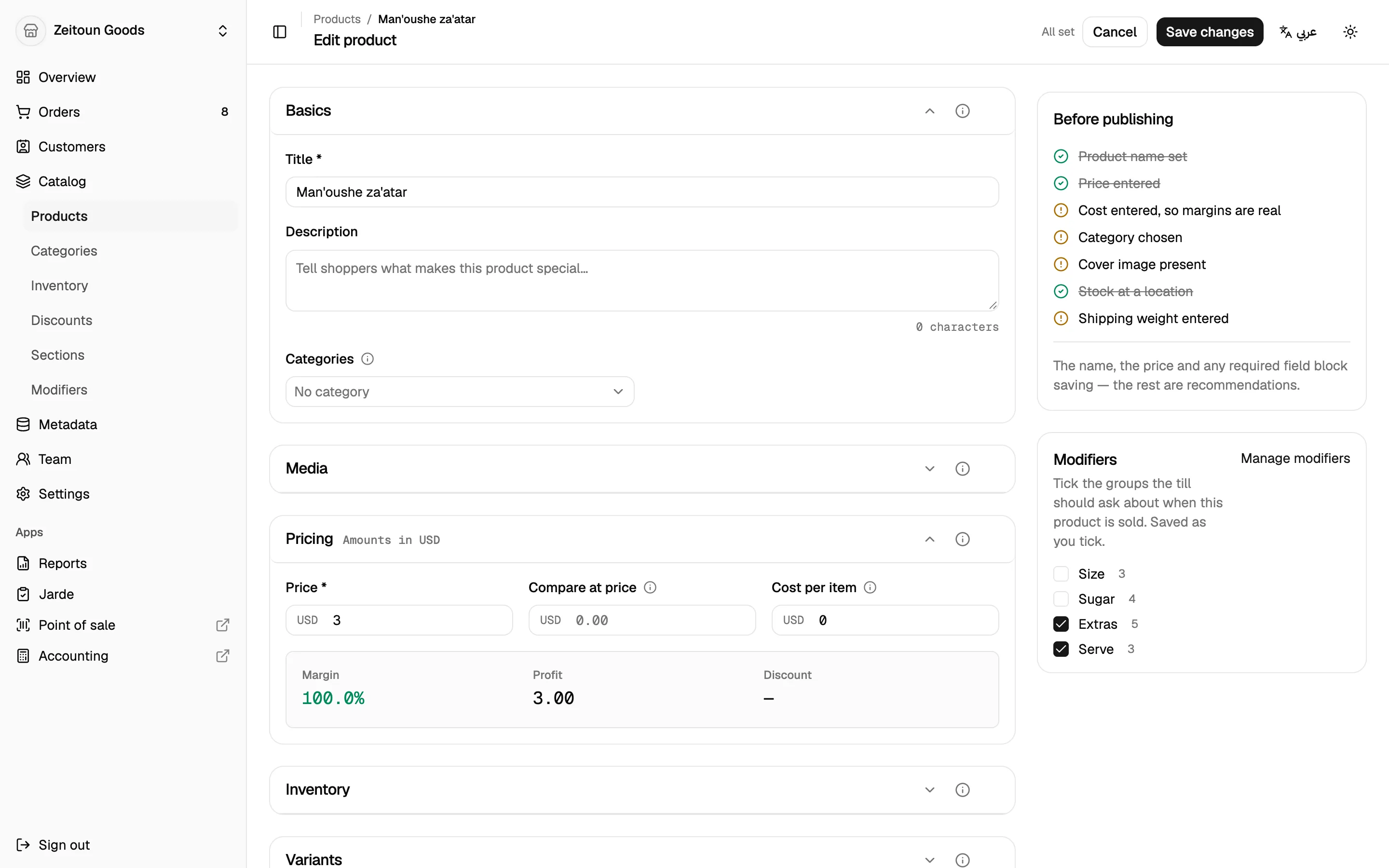
The product editor walks through each part of a product, with a checklist showing what's still missing:
- Media: upload photos and video, then drag to reorder. The first one is the cover.
- Pricing: price, compare-at price (shown crossed out) and cost. Totlob shows the margin and profit, colour-coded green, amber or red.
- Inventory: SKU, barcode, whether to track stock, whether to keep selling when out of stock, and pre-orders with an availability date. Stock and shelf location are set per branch, along with a low-stock threshold.
- Variants: define options like Size and Colour and Totlob builds every combination. Each variant has its own price, SKU, barcode, stock and photo.
- Shipping: physical or digital, weight, and country of origin.
- Organisation: put a product in several categories at once, add tags, and fill in custom fields.
Finding products
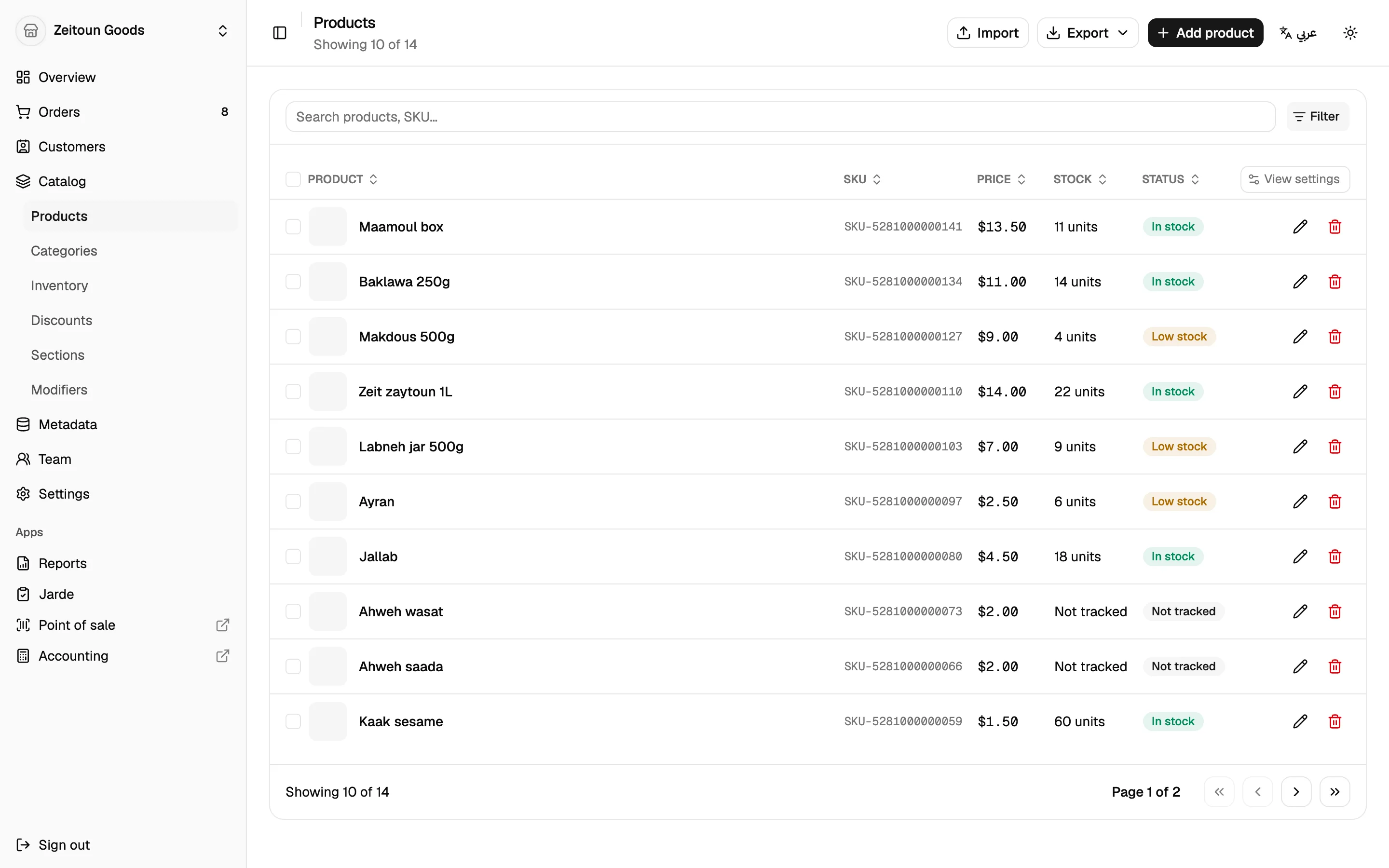
The products list searches and filters across the whole catalogue, including your own custom fields. A bookshop can filter by publisher, binding or condition, for example. Each product shows a stock status: in stock, low, out or not tracked.
You choose which columns appear, including any custom field.
Categories
Categories form a tree as deep as needed (Books → Fiction → Arabic fiction). Each category can have a tile image. Categories can be imported and exported as Excel or CSV, and parent categories are created automatically.
Custom product information
Every business needs different details on its products. Totlob lets you define your own:
- Product fields that apply to every product
- Category fields that apply to a category and everything beneath it. Every book can carry an ISBN, author and binding, while a mug never sees those fields.
- Entry types for shared lists like Publishers, Authors or Series, which products can then point to
Fields can be text, numbers, yes/no, dates, links and more. They can be required, hold several values, and be marked filterable so they appear as filters in the catalogue and on the shop's website.
Modifiers
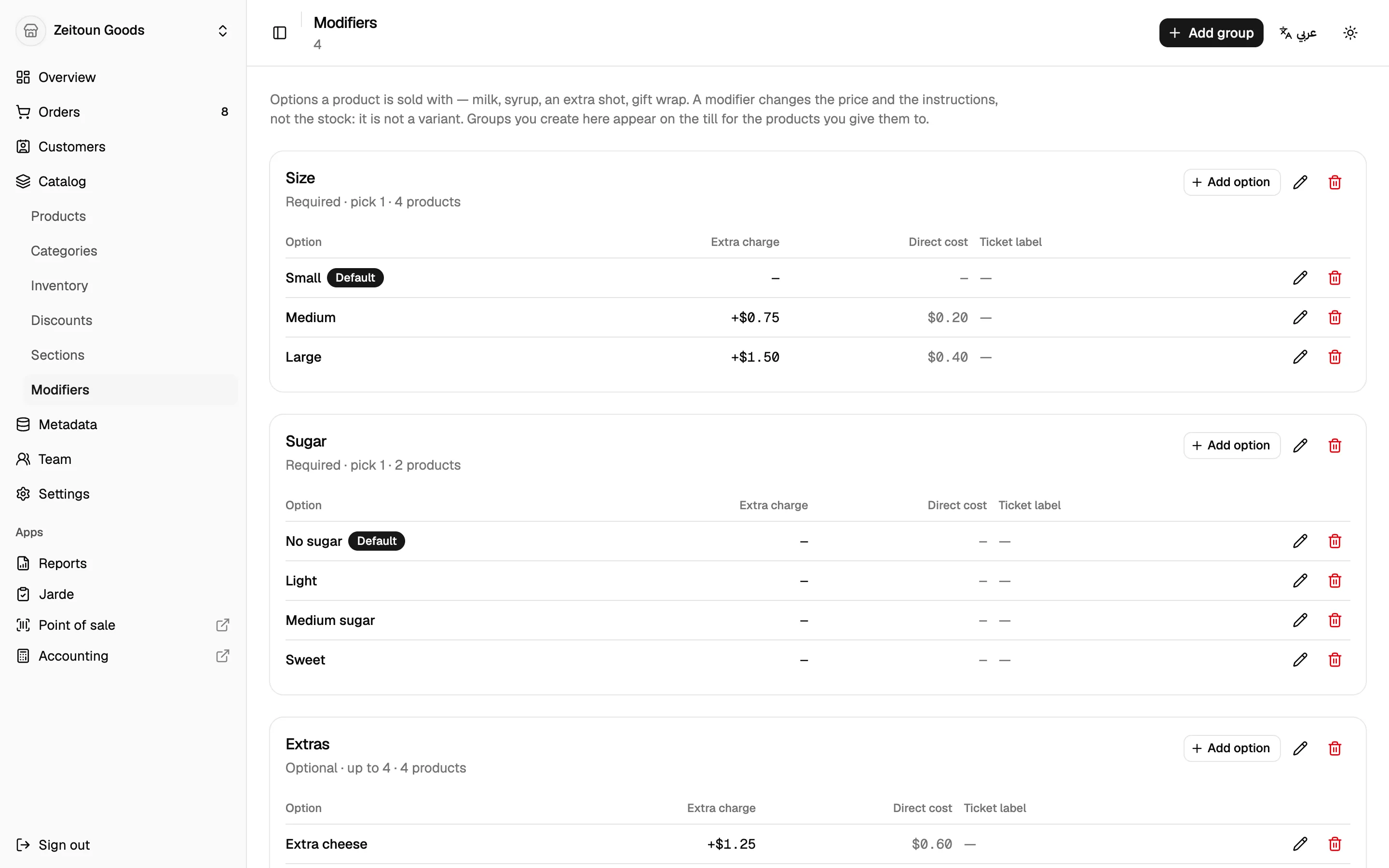
Modifiers are the made-to-order options chosen at the till, like milk type, syrups, or gift wrap.
- Group them (Milk, Extras) with a rule such as "Required · pick 1" or "Optional · up to 3"
- Each option can change the price, carry its own cost (for accurate profit), be a default, and have a short ticket label for the receipt
- Attach groups to the products that need them, and see how many products use each group
Variant or modifier?
A variant is a different version of the product you keep in stock, like a medium black T-shirt. A modifier is a choice made when it's sold, like oat milk in a latte. The dashboard explains this on the Modifiers screen.
Sections
Store sections arrange what customers see on your website: New arrivals, Staff picks, Gifts under $20. Each section can show products, categories or other sections, with its own banner image or video. Drag sections to reorder them.
Till sections are the point of sale's home screen tiles. They're managed from the till itself; see the point of sale.
Bulk import and export
- Import products from Excel or CSV, including variants, prices, barcodes, categories, custom fields and stock per branch. Totlob validates the whole file first and asks for confirmation.
- Export the entire catalogue in the same format, ready to edit and re-import.
Large catalogues are welcome: one bookshop on Totlob imported almost 24,000 titles in one go.