Running the business
Discounts & promotions
Run automatic sales, promo codes and buy-one-get-one offers from the dashboard. At the till, cashiers can give a manual discount only with a reason and a manager's approval.
Five kinds of offer
| Offer | Example |
|---|---|
| Percentage off products | 20% off all Arabic fiction |
| Fixed amount off products | $2 off any notebook |
| Percentage off the order | 10% off orders over $50 |
| Fixed amount off the order | $5 off your basket |
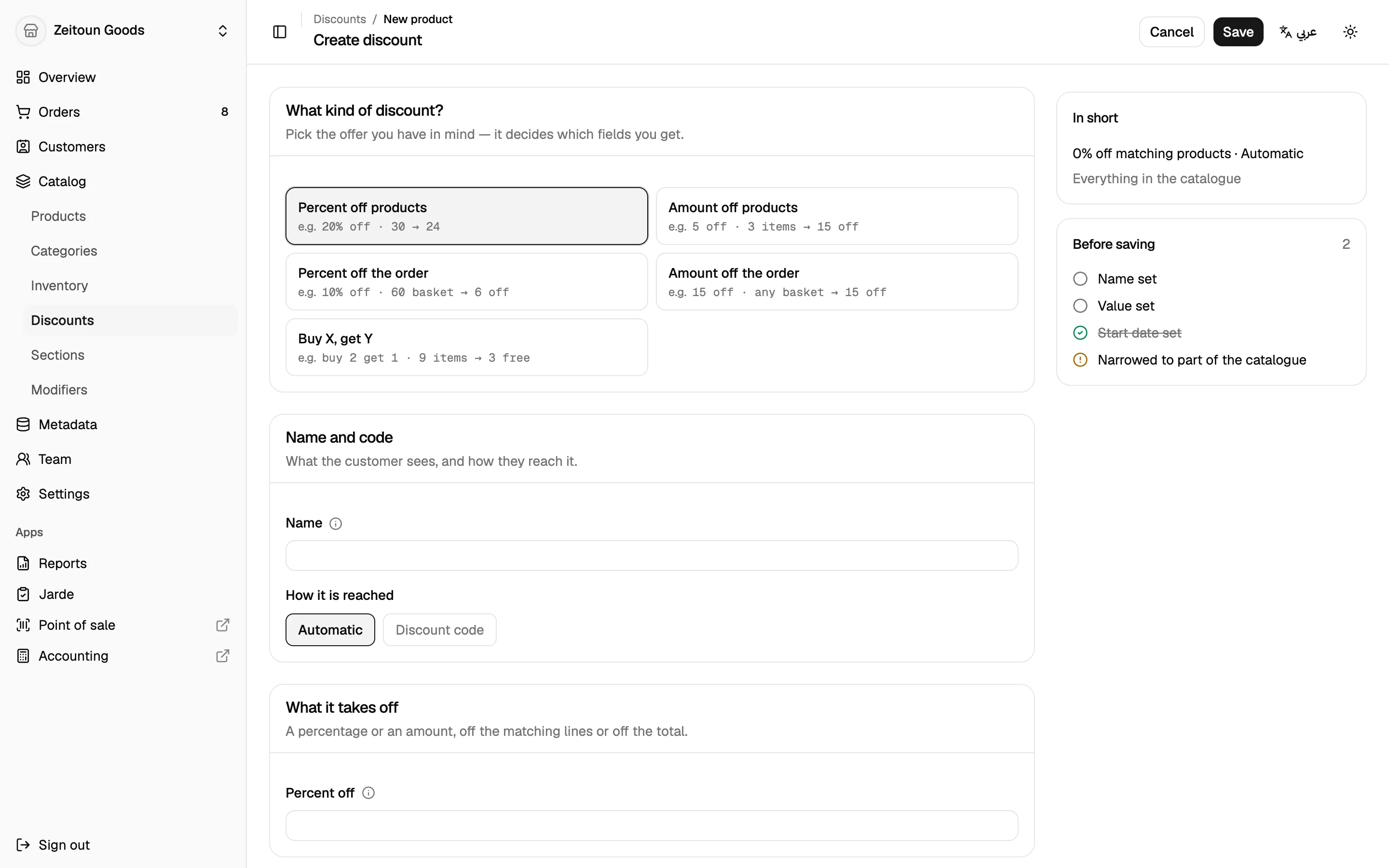
| Buy X, get Y | Buy 2 coffees, get a pastry free (or half price, or $1 off) |
How each offer applies
- Automatic offers apply on their own, at the till and online.
- Code offers apply when the customer gives the code. Totlob can generate codes that avoid easily confused characters (no O/0 or I/1).
- What it covers: the whole catalogue, chosen categories, store sections, products or specific variants. Buy X get Y has separate "buy" and "get" lists.
- Conditions: minimum spend or minimum quantity.
- Limits: total number of uses, and uses per order.
- Schedule: start and end date and time.
- Pause and resume any offer with one click.
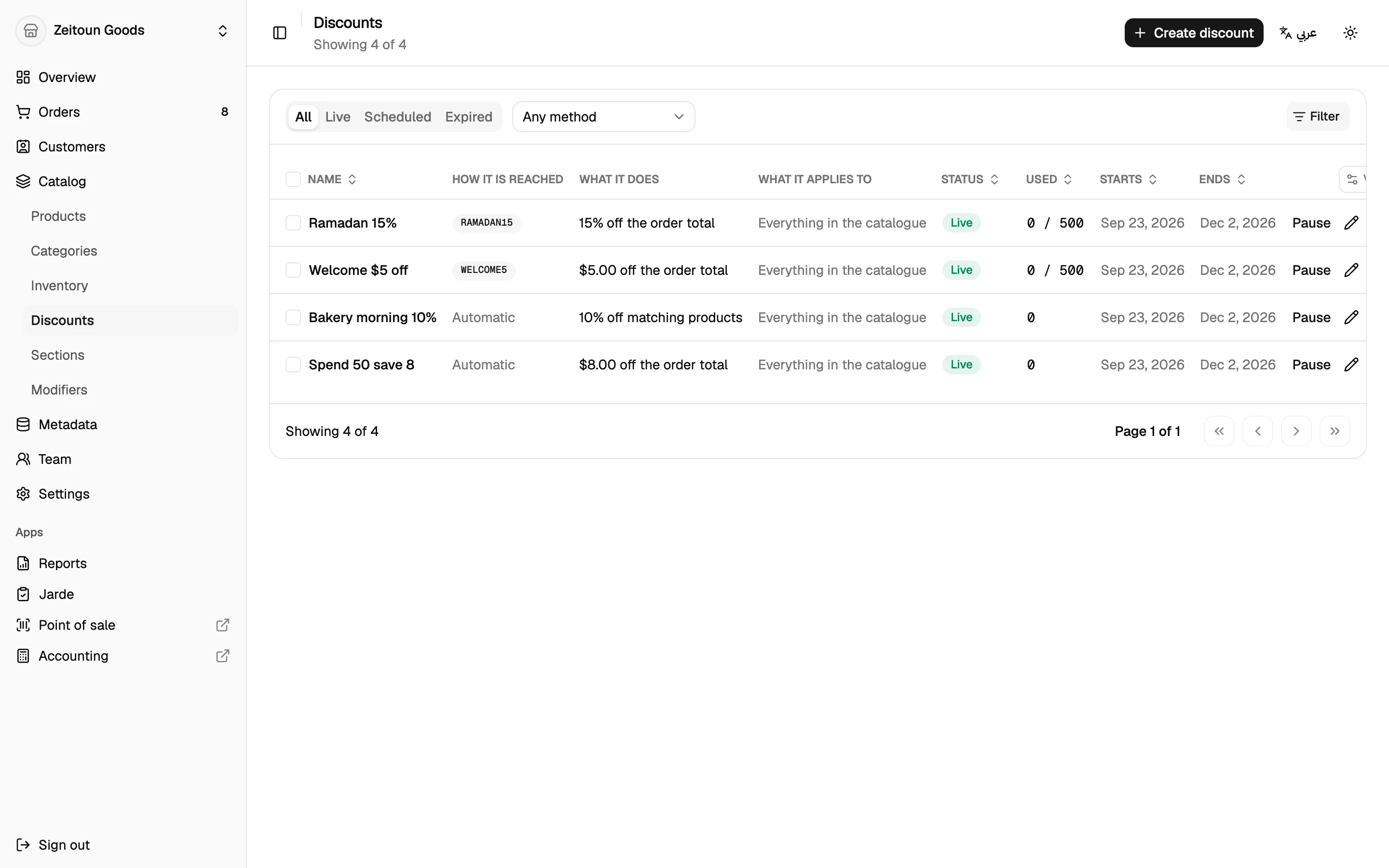
The discounts list groups offers into live, scheduled and expired, and shows how often each has been used.
Fair and predictable
When several offers could apply, Totlob gives the customer the best single product offer on each item. It doesn't stack them. Order-wide offers are shared fairly across the items. The price on the till always matches the price charged.
Manual discounts at the till
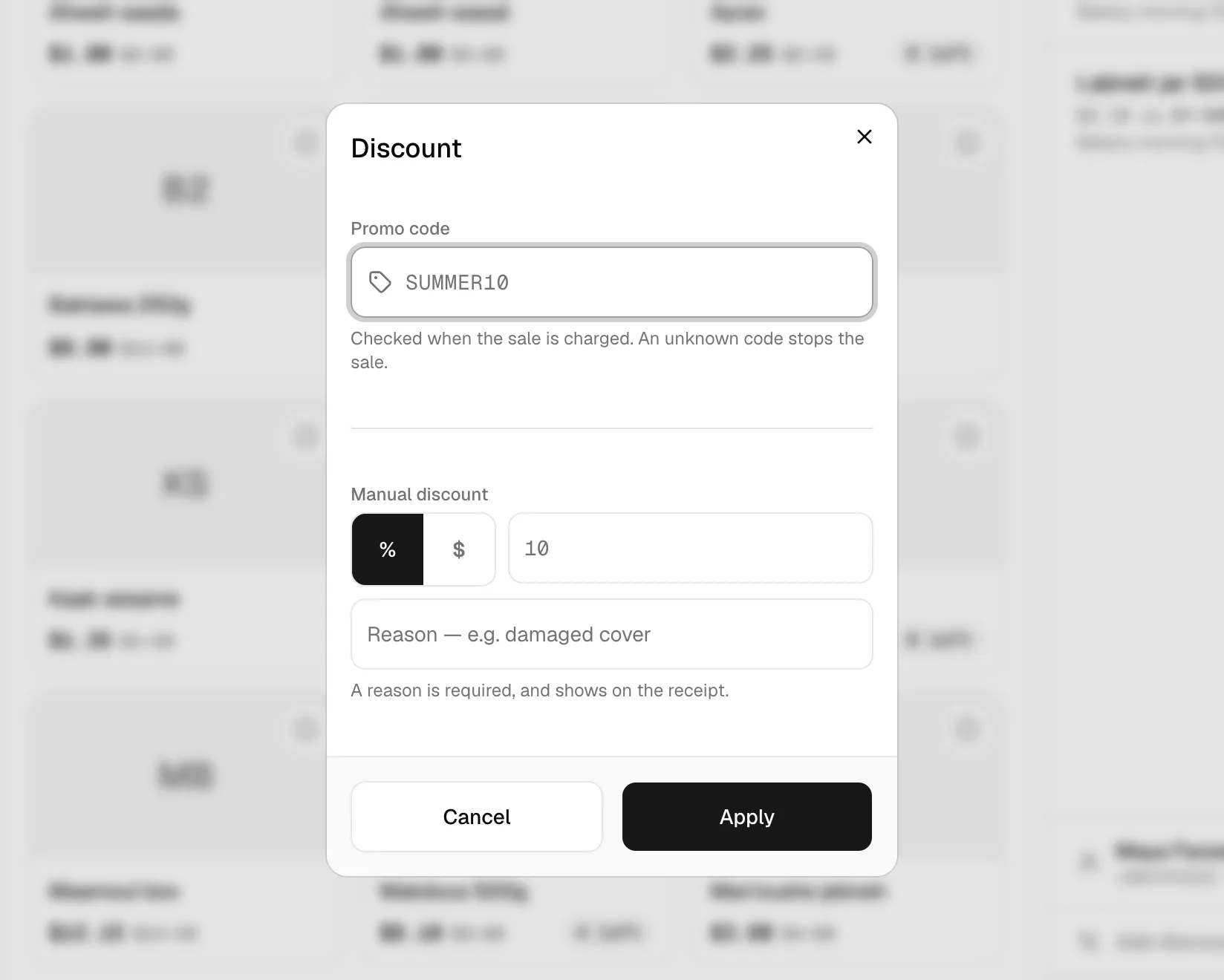
Sometimes a cashier needs to give a discount on the spot. Totlob keeps this under control:
- The cashier chooses a percentage or an amount and types a reason (required).
- A manager types their 6-digit discount PIN on the till.
- The till shows "Approved by Sara", and the discount is applied.
The reason prints on the receipt, and the approver's name is saved with the sale. Too many wrong PIN attempts lock entry for a while.
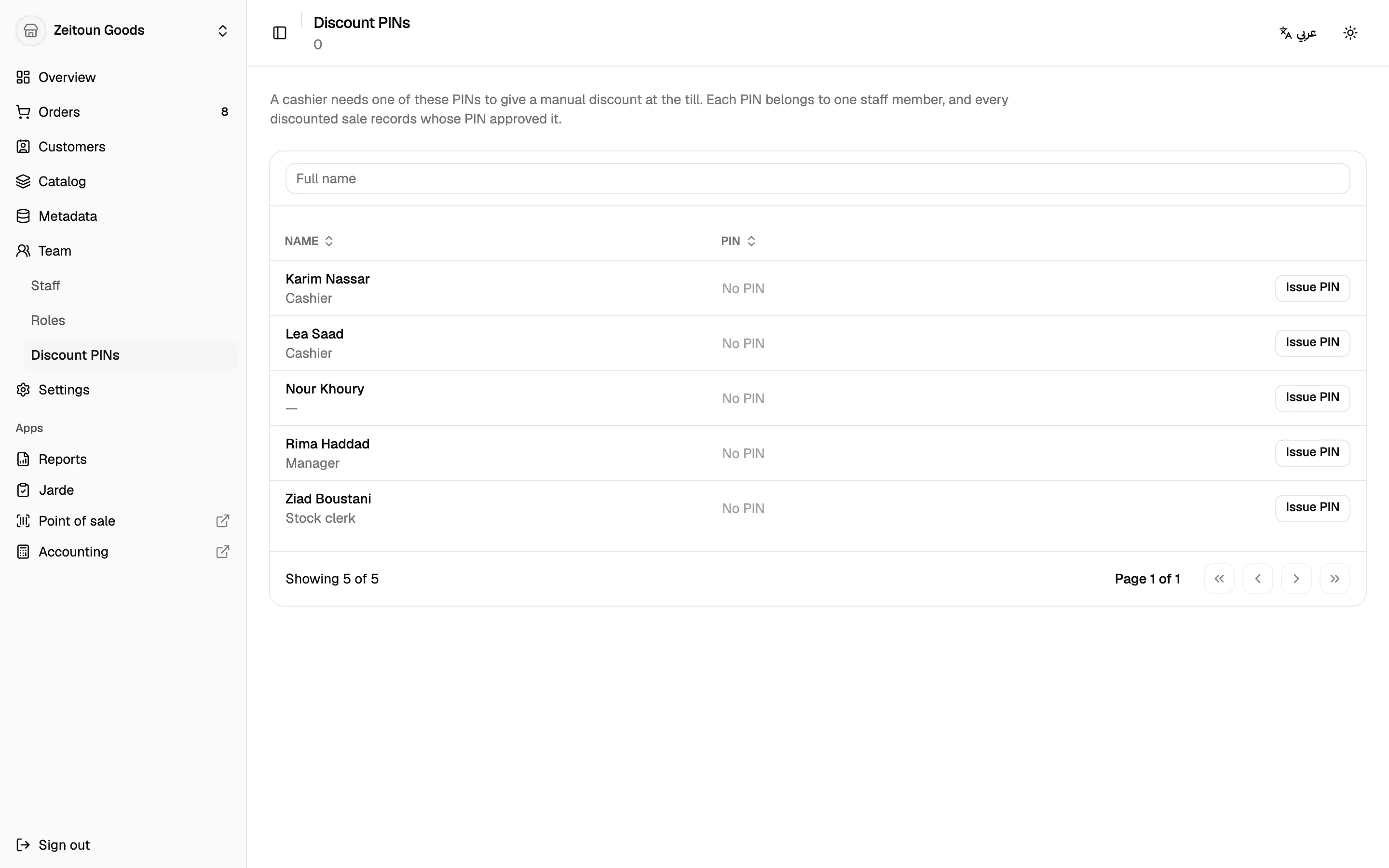
Managing PINs
Owners issue and revoke PINs from the dashboard (Team → Discount PINs). A new PIN is shown once to copy and hand over. Reissuing a PIN cancels the old one immediately.