Running the business
The merchant dashboard
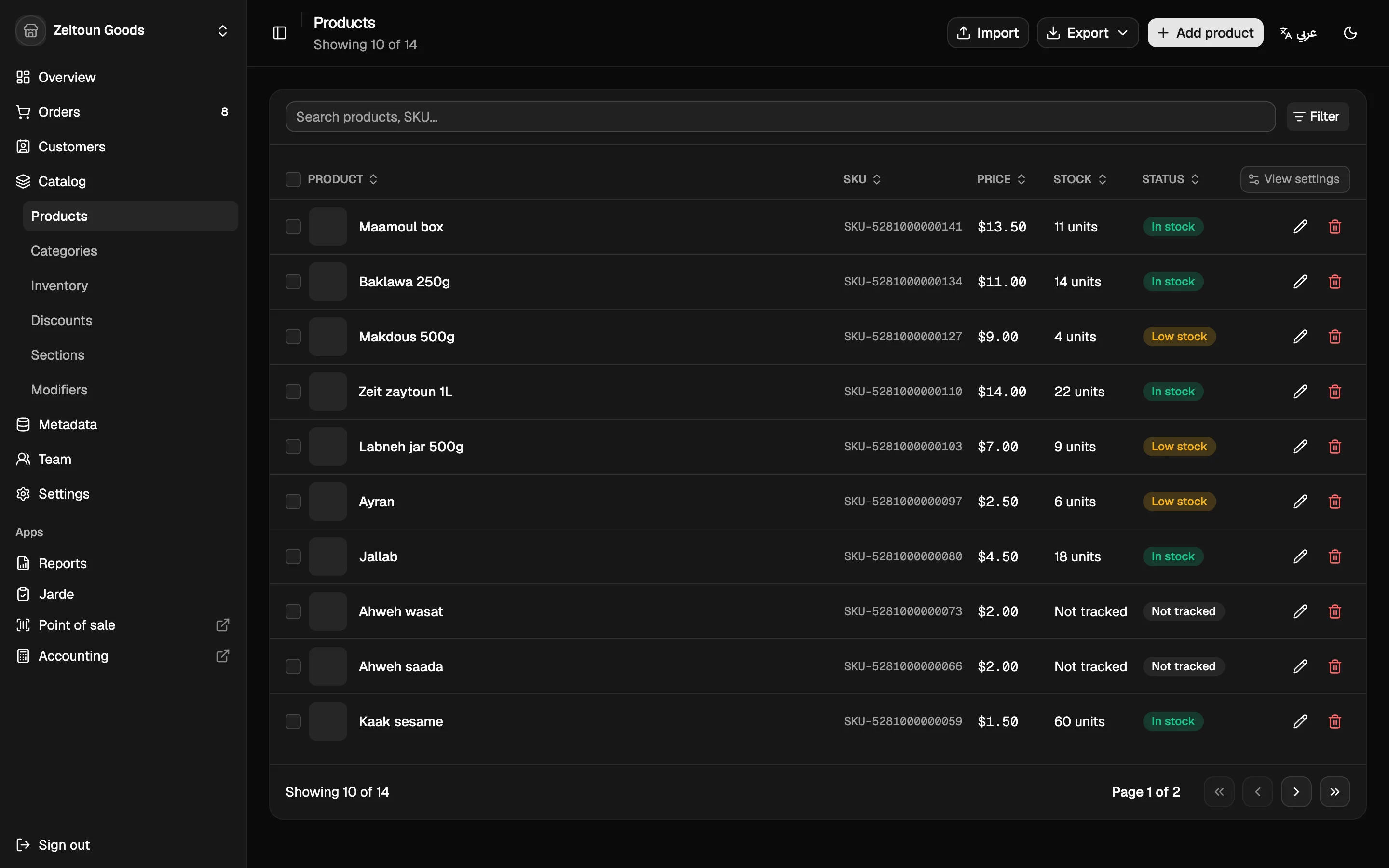
The dashboard is where owners and managers run the business: the catalogue, stock, orders, customers, staff, discounts, settings and reports. It runs in any browser, on a laptop or a phone.
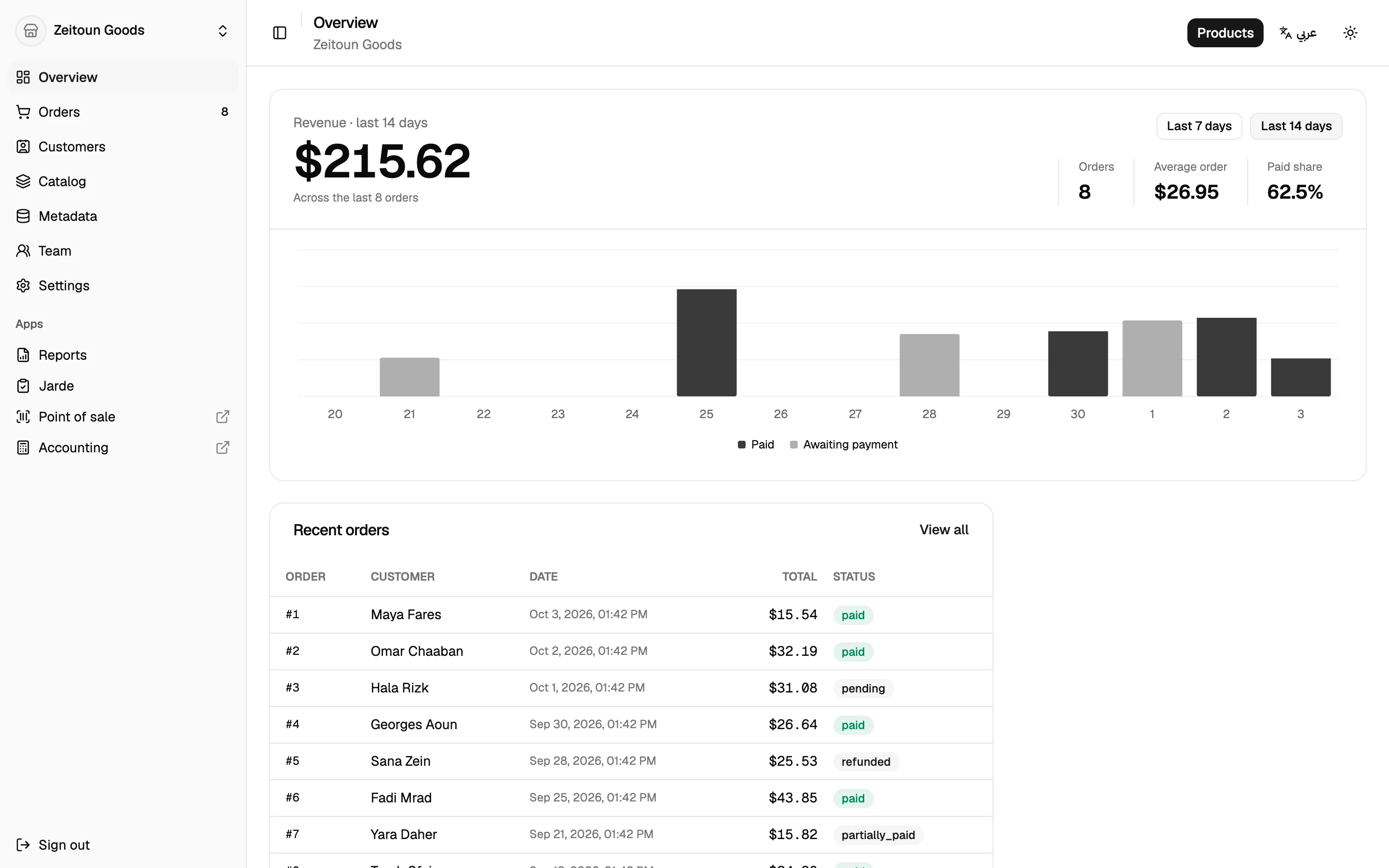
At a glance: the Overview
The first screen after signing in shows:
- Revenue for the last 7 or 14 days, with a daily chart split into paid and awaiting payment
- Order count, average order value and the share of orders paid
- Recent orders and the top delivery areas
- An alerts strip for anything that needs attention. Each alert can be dismissed.
What's in the menu
| Area | Screens |
|---|---|
| Sell | Overview, Orders, Customers |
| Catalogue | Products, Categories, Sections, Modifiers, Inventory, Discounts |
| Product information | Product fields, Category fields, Entry types (custom information like Publisher or Author) |
| Team | Staff, Roles, Discount PINs |
| Settings | Store profile, Apps, Locations, Packages, Carriers |
| Apps | Reports, Stock count, and one-click launch into the Point of sale and Accounting |
Staff only see the screens their role allows. See Staff & permissions.
Built for everyday use
English and Arabic
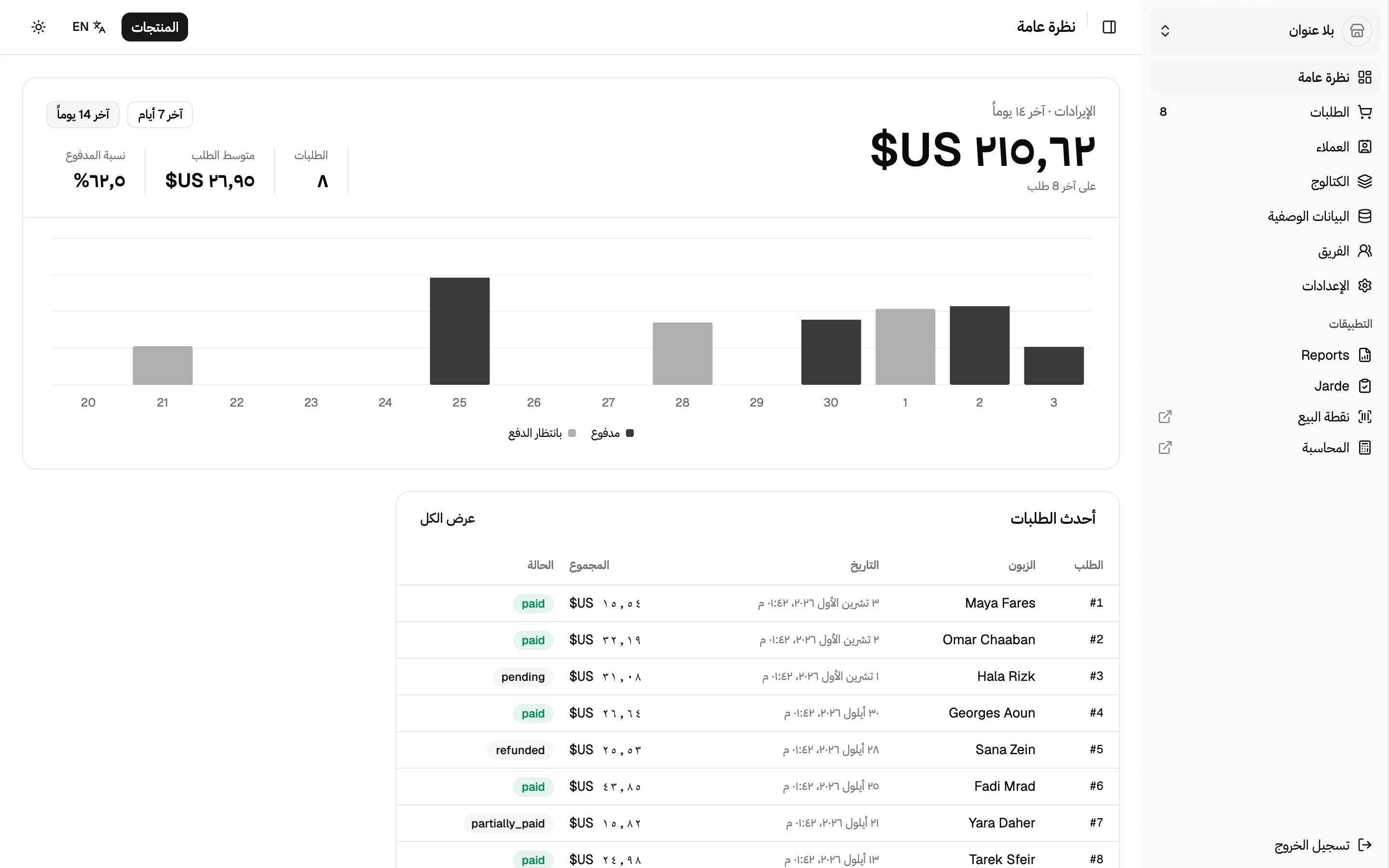
The dashboard is fully bilingual. Switch language from the top bar and:
- every label, button and message changes language
- the layout flips to right-to-left, with the sidebar moving to the right
- product and shop names switch to their Arabic versions where they've been entered
- numbers and dates follow the chosen language
Lists that remember
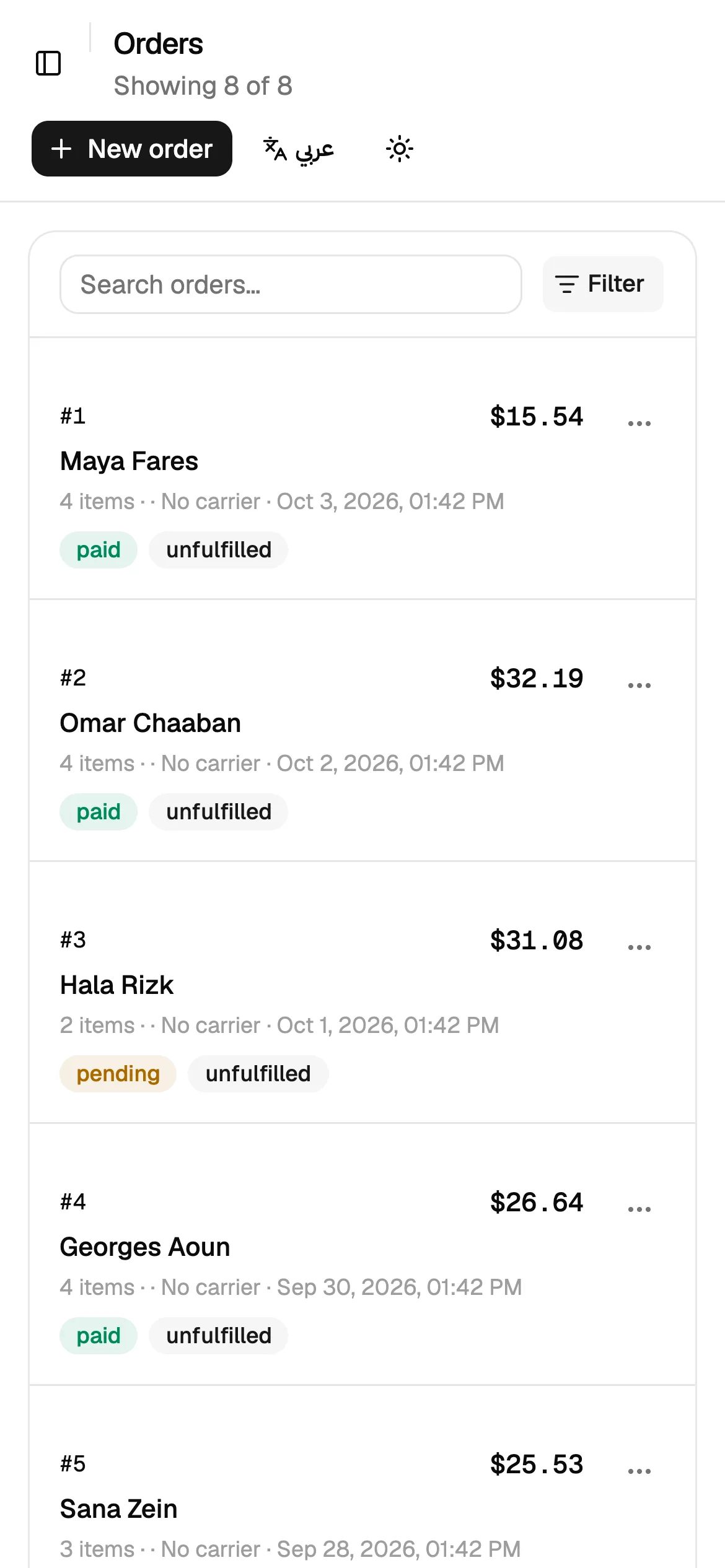
Every list (orders, products, customers…) supports search, filters and sorting. The current view lives in the page address, so it survives a refresh and can be shared with a colleague. Columns can be shown or hidden, and on a phone, lists turn into easy-to-read cards.
Import, export and print
- Import products, categories and stock counts from Excel or CSV. Every file is checked fully before anything is saved.
- Export the product catalogue, categories and reports to Excel or CSV.
- Print packing slips, invoices and reports.
Several shops, one login
One account can own or work at several shops and switch between them from the sidebar. A new shop can be created in one click.
Small things that matter
- Light, dark, or follow-the-system theme
- Scrolling over a number field never changes its value by accident
- Unsaved forms warn before you leave
- Destructive actions always ask for confirmation
- Pages say plainly when something isn't available, rather than showing made-up numbers