Running the business
Customers
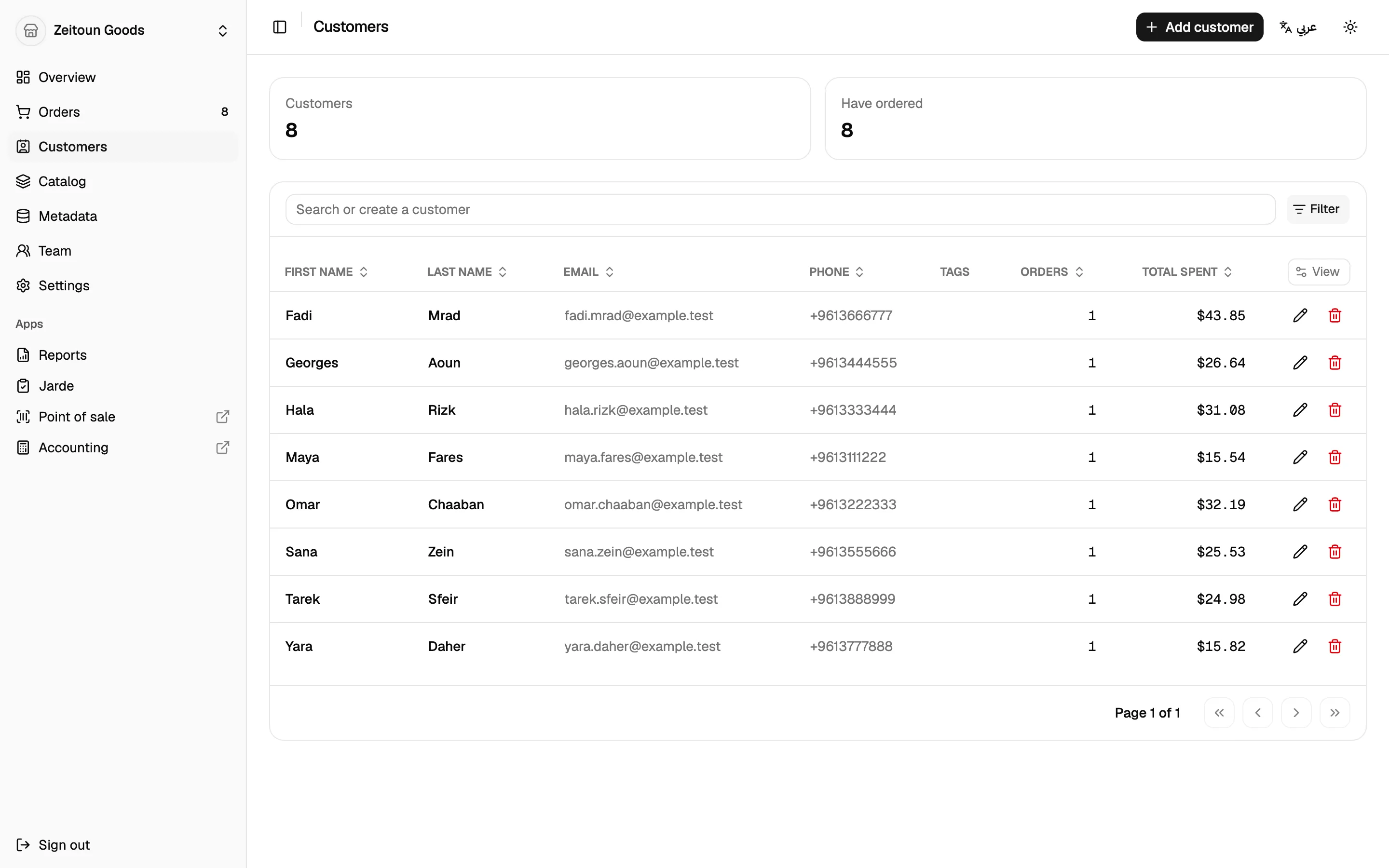
Keep track of who buys from you, at the till and online, with their contact details, addresses and full order history.
In the dashboard
- Search and filter customers by name, email, phone, tags, number of orders and amount spent.
- Customer profile: name, email, phone (with country picker), tags and notes.
- Addresses: add several delivery addresses and set a default.
- Order history: every order the customer has placed, from any channel.
- Deleting a customer keeps their past orders intact.
At the till
Cashiers can attach a customer to a sale in seconds:
- Search by name, nickname or phone number.
- Add a new customer without leaving the sale: name, optional nickname, and phone.
- Phone numbers are entered with a country code (Lebanon first). Mistakes like a leading zero are tidied automatically.
- Duplicate check: if another customer already has that phone number, the till says so and offers to use them instead. It doesn't block the new customer, because families often share a number.
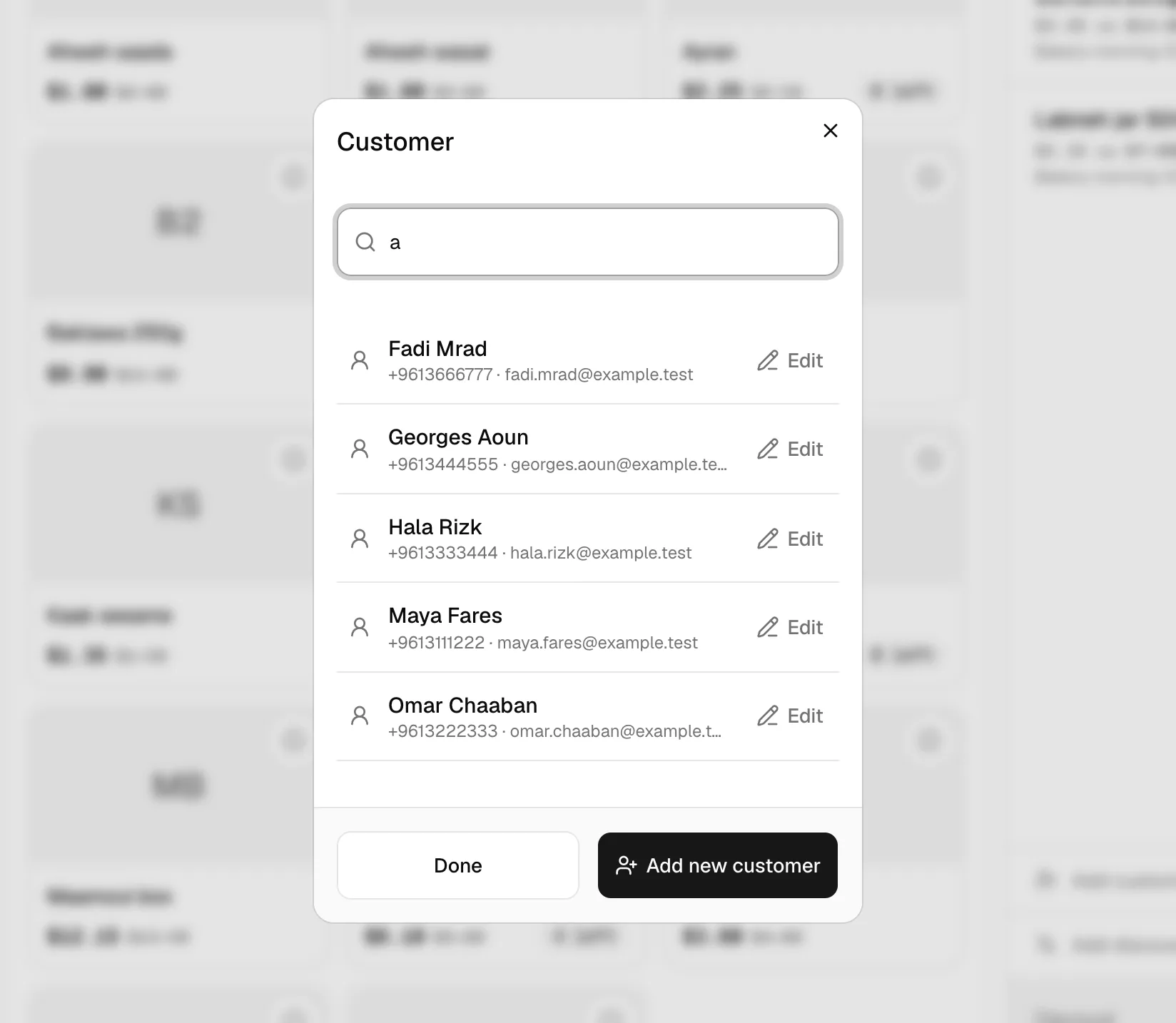
The customer's name prints on the receipt and the sale appears in their history.
Loyalty
Attaching a customer doesn't change prices today. A loyalty programme is on the roadmap; see Coming soon.