Running the business
Inventory & stock counts
Know what you have and where it is. Totlob tracks stock per product, per branch, and per shelf. Every change is recorded with who made it and why.
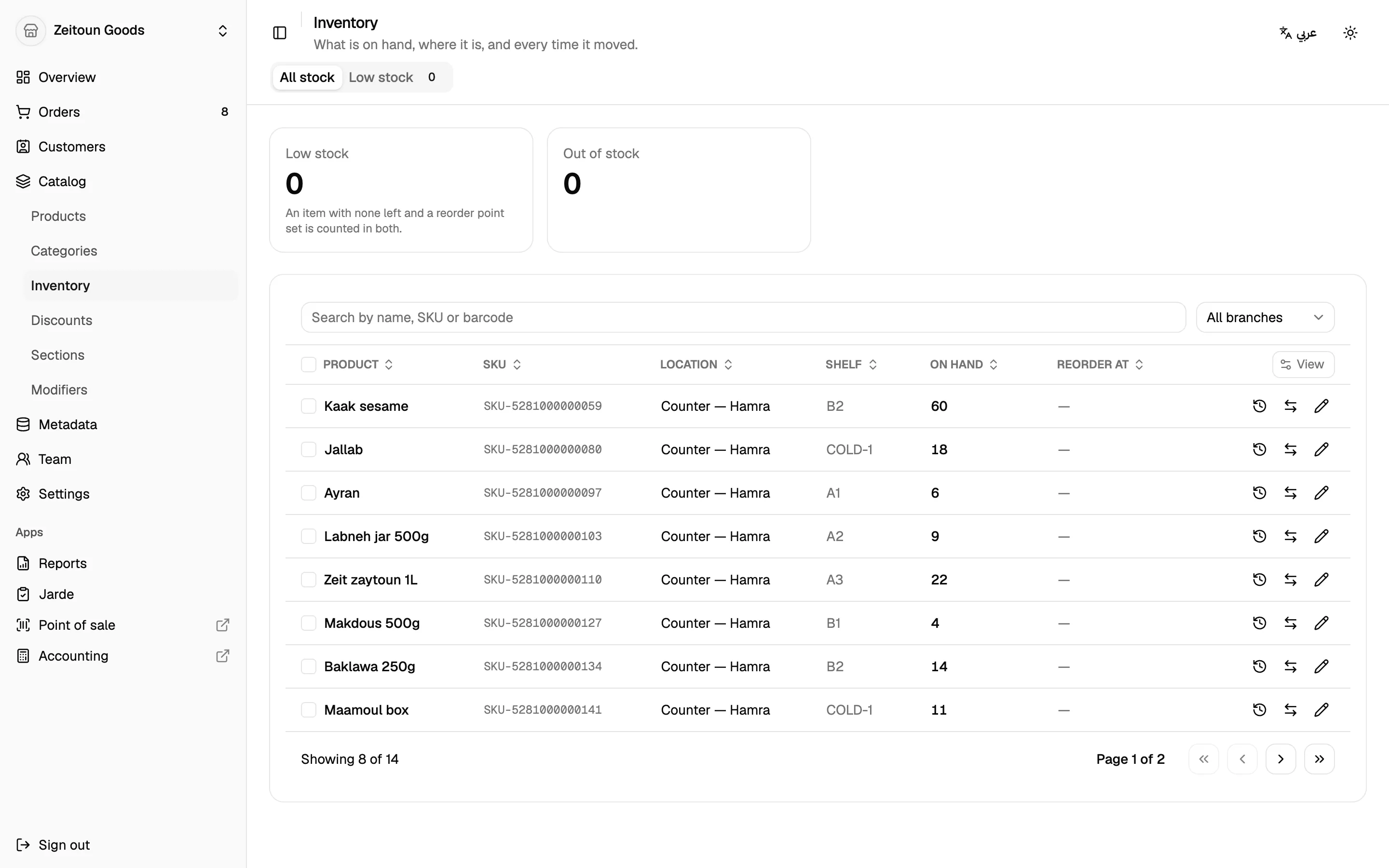
Stock at every branch
The Inventory screen shows one row per product per branch:
- Filter by branch, search, and sort
- A Low stock tab lists everything at or below the threshold you set for each item
- Counts of low-stock and out-of-stock items at a glance
- Items you've chosen not to track show Not tracked
Adjust and transfer
- Adjust: type the quantity actually on the shelf and add a note. Totlob works out the difference.
- Transfer: move stock from one branch to another. Both sides of the transfer are recorded together.
- Bulk transfer: select many rows and move them all at once. Either every line moves or none does, so a transfer never half-happens.
A complete history
Every stock movement is kept, across all branches. Each entry records:
- the date and branch
- the reason: sale at the till, online order, refund, return, cancelled order, failed delivery, manual adjustment, stock count, or transfer
- the change and the quantity afterwards
- who made the change, and any note
Stock automatically follows sales
You don't have to touch stock for everyday trading:
- A sale at the till or a new order lowers stock immediately
- Cancelling an order or restocking a refund puts it back
- Returned items go back into stock only when received and marked restocked
Shelves
Record which shelf each product sits on at each branch, so staff can find it fast. With the Shelves app installed, each branch keeps a proper list of its shelves.
Stock counts from a spreadsheet
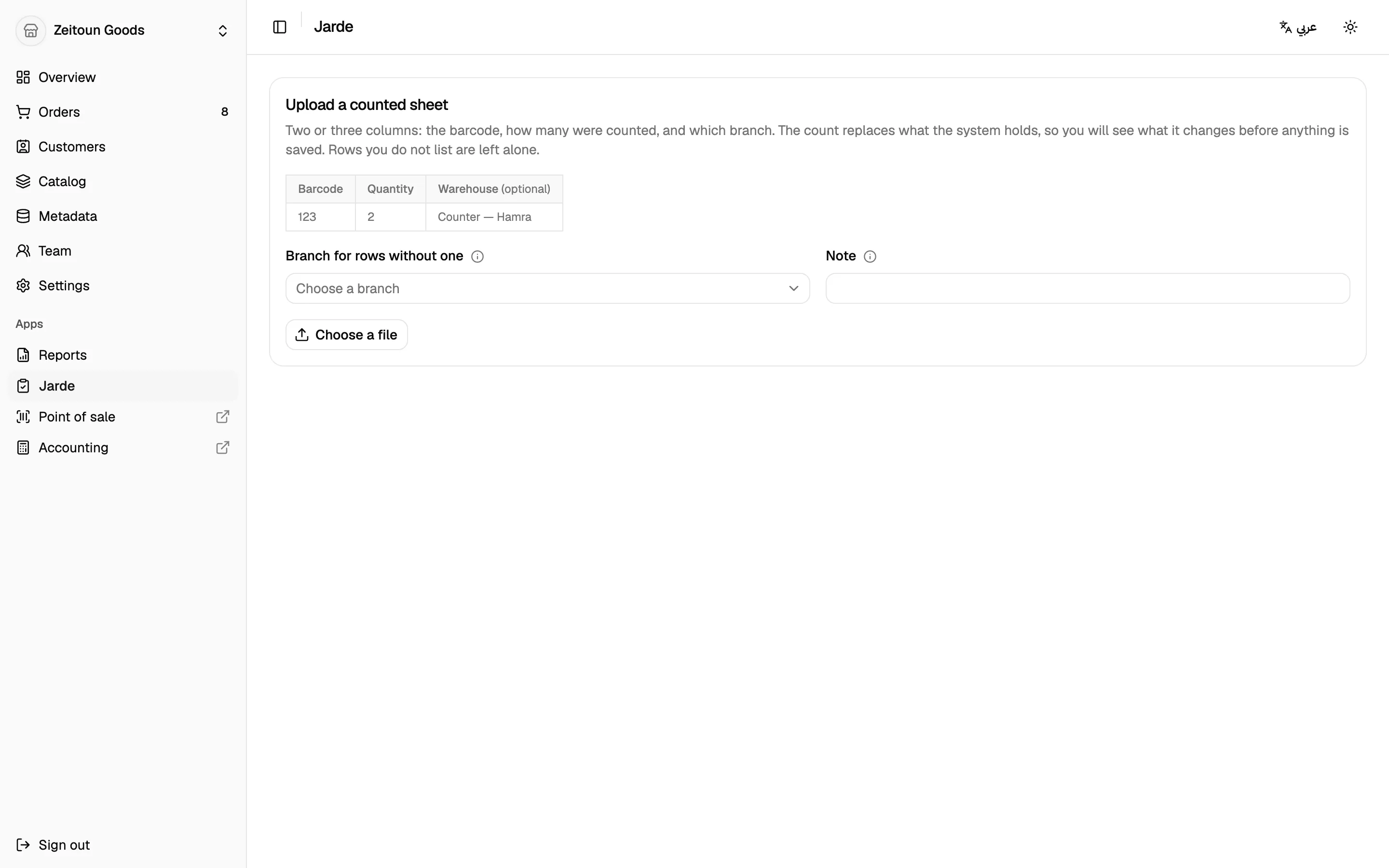
The Stock count app makes a full count painless:
Count the stock and put it in a spreadsheet with barcode and quantity columns (column names can be in English or Arabic, and ISBN or EAN also work as the barcode).
Upload the file and choose the branch, or include a branch column.
Preview: Totlob matches every row and shows the totals, the net change, any shortages, and any rows it couldn't match.
Apply: counted quantities replace what the system had. Products that weren't in the sheet are left alone.